You bought a new smart TV hoping for a seamless, connected experience. Maybe you envisioned effortlessly streaming content, barking commands at your remote, or having all your apps at your fingertips. Instead, you’re likely wrestling with slow interfaces, buffering videos, and privacy concerns that make the whole ‘smart’ aspect feel, well, decidedly not smart. In my experience, most people’s smart TVs underperform not because the technology isn’t there, but because of common misunderstandings and overlooked settings that actively sabotage the experience. What changed everything for me was realizing that ‘smart’ doesn’t mean ‘automatic’ – it means ‘configurable.’
Key Takeaways
- Your smart TV’s built-in Wi-Fi is often the weakest link; consider a wired connection or dedicated streaming device.
- Automatic software updates can introduce bugs or change features; disable them and update manually after research.
- Privacy settings are rarely optimized by default; deep-dive into every setting to limit data collection.
- Manufacturer apps often offer a subpar experience; invest in a dedicated streaming device for better performance and updates.
- Voice control features are often intrusive and unreliable; disable them unless you have a specific, secure use case.
- Calibrate your TV’s picture settings beyond default modes; optimal visual settings are crucial for a ‘smart’ viewing experience.
- The TV’s operating system itself might be the bottleneck; a standalone streamer almost always outperforms integrated solutions.
1. Your Wi-Fi Connection Is Probably Insufficient for Streaming Demands
The single biggest mistake I see most often is people relying solely on their smart TV’s built-in Wi-Fi adapter. While convenient, these adapters are often cheap, underpowered, and placed in the worst possible spot: behind a large metal screen (the TV itself), often tucked away in an entertainment center. Streaming high-definition or 4K content demands a consistent, high-bandwidth connection. Your TV might be competing with phones, laptops, and other smart devices for precious bandwidth on an already congested 2.4 GHz band.
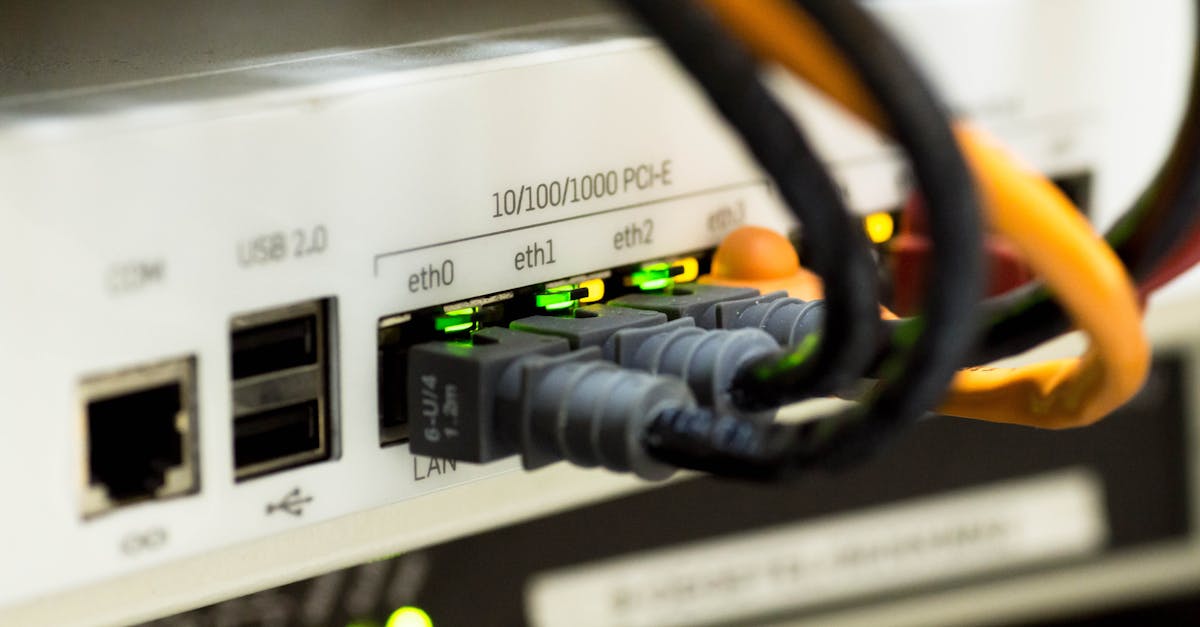
What changed everything for me was running an Ethernet cable directly to the TV. Even a cheap 50-foot Cat6 cable costs less than a decent streaming stick and provides a rock-solid connection. If a wired connection isn’t feasible, consider a dedicated mesh Wi-Fi system with an access point near your TV, or, failing that, upgrading to a streaming device that supports 5 GHz Wi-Fi and has a more robust antenna. The raw numbers show it: a 4K stream can easily chew up 25 Mbps, and unreliable Wi-Fi means constant buffering, not ‘smart’ entertainment.
2. Automatic Software Updates Are a Double-Edged Sword
Manufacturers push out software updates for smart TVs with varying degrees of success. On one hand, they promise bug fixes and new features. On the other, they can introduce new bugs, change the user interface in frustrating ways, or even disable features you relied on. The mistake is letting your TV automatically update without your knowledge or consent. This is particularly problematic because rolling back an update is rarely an option, and you’re stuck waiting for the next patch.
In my experience, the smart move is to disable automatic software updates in your TV’s settings. Instead, set a reminder to manually check for updates every few months. Before installing, spend 10-15 minutes searching online forums and tech news sites for reviews of the specific update for your model. Look for widespread reports of new issues, performance degradation, or privacy policy changes. This proactive approach saves countless hours of troubleshooting and ensures your ‘smart’ experience remains under your control.
3. Your Privacy Settings Are Not Defaulting to ‘Private’
Smart TVs are data collection machines. They track what you watch, how long you watch it, what apps you use, and even listen for voice commands. Manufacturers monetize this data through targeted advertising and by selling it to third parties. The default settings on almost every smart TV are configured for maximum data collection, not maximum privacy. This isn’t just a minor annoyance; it’s a fundamental erosion of your privacy that makes the ‘smart’ aspect feel deeply manipulative.
What changed everything for me was dedicating an hour to a deep-dive into every single privacy-related setting. Look for terms like ‘ACR’ (Automatic Content Recognition), ‘interest-based ads,’ ‘viewing data,’ and ‘voice assistant data collection.’ Disable them all. On some TVs, you might even need to review the terms of service for each pre-installed app. Acknowledge that you might lose some ‘smart’ features like personalized recommendations, but the trade-off for reclaiming your privacy is, in my opinion, always worth it. Don’t assume anything is private by default; assume everything is public until proven otherwise.
4. Relying on Built-In Apps Limits Your Experience
Many smart TV manufacturers invest heavily in their own app stores and ecosystems. While these can seem convenient, they often lag behind dedicated streaming devices like a Roku, Apple TV, or Fire TV Stick. The processors in most smart TVs are not top-of-the-line, leading to slower app loading, choppier interfaces, and less frequent updates. I’ve seen countless instances where the same app (e.g., Netflix or YouTube) performs noticeably worse on a TV’s built-in OS than on an external streaming player.
In my experience, the best way to make your smart TV truly smart is to treat it as a high-quality display, not a computer. Invest in a dedicated streaming device. These devices typically have more powerful processors, receive more frequent and stable software updates, and offer a much smoother user experience. The initial cost of $30-$150 is a small price to pay for consistent performance, greater app selection, and a future-proofed streaming setup that won’t become obsolete with your TV’s integrated software.
5. Voice Control Is Often More Intrusive Than Helpful
Voice control seems like a futuristic feature, but for many smart TV owners, it’s a source of frustration and privacy anxiety. Constant ‘always-on’ microphones can accidentally pick up conversations, and the accuracy of built-in voice assistants often leaves much to be desired. You find yourself repeating commands, speaking unnaturally, or waving your remote around, negating any perceived convenience. Moreover, this feature often contributes significantly to the data collection discussed earlier.
What changed everything for me was disabling voice control entirely on the TV itself. If you genuinely want voice commands, integrate your TV with a dedicated smart speaker (like an Echo or Google Home) that you can position optimally and mute when not in use. This provides a clearer separation of concerns: your TV is a display, and your smart speaker is for commands. This reduces background listening by the TV manufacturer and often results in more reliable voice recognition from a device designed specifically for that purpose.
6. Default Picture Settings Are Rarely Optimal
This isn’t strictly an ‘internet’ or ‘privacy’ issue, but it’s a crucial aspect of why your smart TV isn’t delivering the ‘smart’ viewing experience it should. Out of the box, most smart TVs come with overly saturated colors, motion smoothing (soap opera effect) enabled, and brightness levels that are fine for a brightly lit showroom but terrible for your living room. Manufacturers prioritize dazzling initial impressions over accurate, comfortable viewing, making even 4K content look artificial.
In my experience, a ‘smart’ TV should deliver a visually stunning experience. The solution is to manually calibrate your picture settings. Start by switching to a ‘Movie’ or ‘Cinema’ preset, which usually disables motion smoothing and reduces oversaturation. Then, use an online guide (there are many free calibration videos on streaming platforms) specific to your TV model to fine-tune brightness, contrast, color, tint, and sharpness. This typically takes 30-60 minutes but dramatically improves picture quality, making your content look as good as it’s meant to be.
7. The TV’s Operating System Itself Is Often the Bottleneck
Beyond just the apps, the entire operating system (OS) of your smart TV can be a significant limiting factor. Whether it’s Android TV, WebOS, Tizen, or Roku OS built directly into the TV, these integrated systems are often designed to a price point, meaning less powerful CPUs, limited RAM, and slower storage. This results in sluggish menu navigation, delayed responses to remote control inputs, and an overall clunky feel that constantly reminds you that your TV isn’t quite as ‘smart’ as you hoped.
What truly transformed my experience, even with a relatively new smart TV, was recognizing that the integrated OS would never be as fast or fluid as a dedicated device. My solution was to bypass the TV’s internal OS almost entirely. I configure the TV to power on directly to the HDMI input connected to a high-quality streaming device. The TV remote is then used only for power and volume, with all navigation and app selection handled by the streaming device’s remote. This offloads the ‘smart’ processing to hardware designed specifically for it, resulting in a much more responsive and enjoyable viewing experience, turning the smart TV into a truly brilliant display.
Frequently Asked Questions
Can my smart TV really spy on me?
Yes, absolutely. Smart TVs are equipped with microphones and Automatic Content Recognition (ACR) technology that tracks your viewing habits and can pick up ambient audio. This data is often used for targeted advertising and shared with third parties. It’s crucial to review and disable all privacy-related settings.
Is it better to use a streaming stick or my TV’s built-in apps?
In almost all cases, a dedicated streaming stick (like an Apple TV, Roku, or Fire TV Stick) offers a superior experience. They typically have more powerful processors, receive more frequent software updates, and provide a smoother, more responsive user interface than integrated smart TV apps.
How often should I update my smart TV’s software?
I recommend disabling automatic updates. Instead, manually check for updates every few months and research any new updates online before installing them. This allows you to avoid buggy releases or unwanted feature changes.
What is ‘motion smoothing’ and why should I turn it off?
Motion smoothing is a processing feature that inserts artificial frames to make fast-moving scenes appear smoother, but it often results in the ‘soap opera effect’ – making movies look cheap and unnatural. Most experts recommend disabling it for a more cinematic and accurate viewing experience.
How can I make my smart TV faster?
Beyond ensuring a strong, wired internet connection, the most effective way to make your smart TV feel faster is to use a dedicated external streaming device. This bypasses the TV’s often underpowered internal processor and OS, resulting in much snappier performance for apps and navigation.