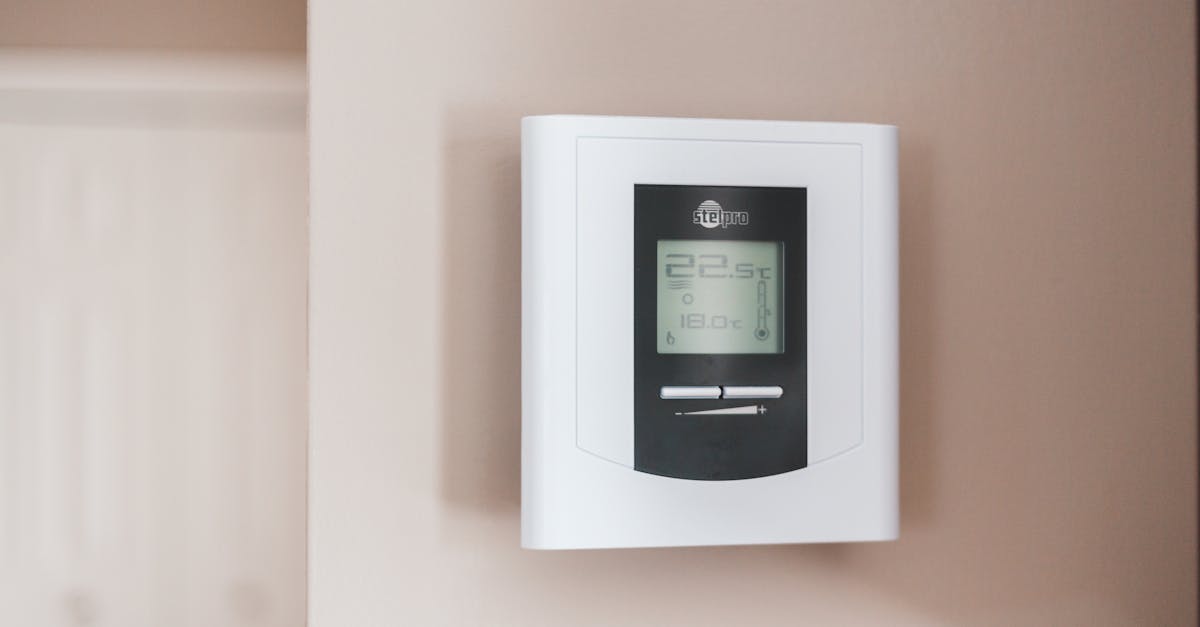
Why Your New Smart Thermostat Feels Gimmicky (And What Actually Works for Real Comfort and Savings)
You just installed a shiny new smart thermostat. It boasts AI learning, geofencing, remote control, and a sleek app. You’re expecting a significant drop in your energy bill and a perfectly comfortable home. But weeks later, you’re still fiddling with settings, the house feels too hot or too cold at inconvenient times, and that promised 20% savings seems more like a myth than a reality. It feels… gimmicky. You’re not alone. The marketing hype often oversells the ‘set it and forget it’ dream, leaving many users frustrated and questioning if they wasted their money.
In my experience diving deep into smart home tech, the problem isn’t usually the thermostat itself, but how we approach its integration into our lives and homes. Most people treat it like a simple upgrade from their old programmable thermostat, expecting magic without understanding the underlying principles or the unique challenges of their own living space. This leads to a cycle of over-reliance on automated features that don’t quite fit, and a lack of proactive optimization that truly unlocks both comfort and cost savings.
Key Takeaways
- Your smart thermostat’s ‘AI learning’ often struggles with real-world home dynamics; manual, informed scheduling often outperforms it.
- Geofencing is unreliable for consistent comfort; integrate smart occupancy sensors for accurate, responsive heating/cooling.
- True energy savings come from understanding your home’s thermal envelope, not just the thermostat’s advertised features.
- Don’t blindly trust your thermostat’s sensors; strategically place additional temperature and humidity sensors for better data.
The ‘AI Learning’ Trap: Why Manual Scheduling Still Wins
One of the biggest selling points for smart thermostats is their purported ‘AI learning’ capabilities. The idea is simple: the thermostat observes your habits for a week or two, learns your preferences, and then automatically creates an optimized schedule. Sounds great in theory, right? In practice, this feature often falls flat, leading to more frustration than convenience. The mistake I see most often is people simply letting the AI run unchecked, expecting it to perfectly adapt to their unique lifestyle and home’s quirks.
Think about it: your home isn’t a controlled lab environment. You might have inconsistent schedules, guests staying over, windows open on a mild day, or even just variations in solar gain throughout the day. A thermostat’s AI, no matter how advanced, can struggle to interpret these nuances. It often creates a schedule that’s ‘good enough’ but rarely ‘perfect.’ For instance, it might learn you like 70°F in the evening, but if you occasionally work late or have a family movie night that runs longer, it won’t anticipate those changes. You end up manually overriding it constantly, effectively undoing any ‘learning.’
What changed everything for me was realizing that proactive, informed manual scheduling almost always outperforms passive AI learning for comfort and predictable savings. Instead of letting the AI dictate, I recommend observing your own patterns for a week or two, much like the AI would. Note down when you wake up, leave, return, and go to bed. More importantly, record how your home feels at different set points and times of day. Does it take 30 minutes or an hour for your house to reach the desired temperature? This is crucial data the AI often misses.
Once you have a solid understanding of your actual usage patterns and your home’s thermal responsiveness, create a detailed schedule. For example, if you leave for work at 8 AM and your house takes an hour to cool down, set the temperature to begin rising at 7 AM. If you return at 6 PM and it takes an hour to heat up, schedule the heat to kick in at 5 PM. This preemptive approach ensures your home is comfortable when you need it to be, rather than waiting for the thermostat to react. Many smart thermostats also allow for ‘away’ modes or vacation holds, which you can manually activate for anomalies. This hybrid approach – a solid manual schedule with occasional manual overrides for specific events – gives you far more control and delivers a much better experience than relying solely on a ‘learning’ algorithm.
Geofencing’s False Promise: The Power of Presence Detection
Another highly touted feature of smart thermostats is geofencing. The idea is that your thermostat knows when you’re leaving or approaching your home based on your smartphone’s location, automatically adjusting the temperature to save energy or ensure comfort upon arrival. While this sounds incredibly convenient, in my experience, geofencing is remarkably unreliable for consistent comfort, leading to more wasted energy than savings.
The primary flaw lies in its reliance on your phone’s location, not people’s presence. What happens if you leave your phone at home? Or if a family member is home but doesn’t have their phone, or isn’t part of the geofencing group? The system defaults to an ‘away’ setting, leaving someone in a cold house. Conversely, if you head out briefly to the store and then return, the system might trigger an energy-saving setback for a short period, only to then ramp up heating or cooling again, potentially using more energy than if it had just maintained a comfortable temperature. I’ve seen countless scenarios where geofencing leads to ‘ghost’ activations or deactivations, frustrating residents and negating any supposed savings.
What truly works is integrating smart occupancy or motion sensors with your thermostat, rather than relying solely on geofencing. Systems like Ecobee allow you to place wireless sensors in key rooms. These sensors detect actual presence and can be configured to prioritize specific rooms. For instance, if you work from home in your office, the system can maintain comfort there, even if the rest of the house is set back. When the sensors detect no motion for a prolonged period, then the thermostat can confidently switch to an energy-saving ‘away’ mode. This is true presence detection, not just phone proximity. It’s a game-changer for homes with multiple occupants or unpredictable schedules.
Furthermore, some advanced smart home hubs (like Home Assistant or SmartThings) can aggregate data from multiple presence detection methods – smart door locks, contact sensors on windows, or even Wi-Fi device presence – to create a more robust ‘home occupied’ state. This multi-sensor approach provides a far more accurate picture of whether your home is truly empty or occupied, allowing the thermostat to make intelligent decisions based on actual human activity, not just a phone’s GPS signal. The result is genuinely responsive comfort and more reliable energy savings.
Beyond the Thermostat: Understanding Your Home’s Thermal Envelope
Many smart thermostat users get caught up in the device’s features, believing that the thermostat itself is the sole determinant of energy efficiency. They expect a magical device to fix underlying problems. This is a profound misconception. In reality, true energy savings come from understanding and optimizing your home’s thermal envelope, not just the thermostat’s advertised features. A smart thermostat is a control panel; it can only work as efficiently as the system it controls, within the environment it’s placed.
The mistake here is neglecting the ‘dumb’ parts of your home’s heating and cooling system. No matter how smart your thermostat is, if your home is a sieve of air leaks, has insufficient insulation, or outdated windows, you’re constantly fighting an uphill battle. The thermostat will simply work harder, longer, and less efficiently to maintain the desired temperature. I’ve often seen people invest hundreds in a smart thermostat, only to still have high energy bills because they ignored easily fixable issues like a leaky attic hatch or unsealed electrical outlets.
My strong recommendation is to perform a basic energy audit of your home before (or right after) installing a smart thermostat. You don’t need expensive equipment. Start by checking for obvious air leaks around windows, doors, electrical outlets, and plumbing penetrations. Use inexpensive caulk or weatherstripping to seal these gaps. Check your attic insulation – is it adequate for your climate? Consider adding more if it’s below recommended levels. Ensure your HVAC system is regularly maintained, with clean filters and properly sealed ducts. Leaky ducts can lose 20-30% of your conditioned air before it even reaches your rooms.
Only once you’ve addressed these fundamental aspects of your home’s thermal envelope can your smart thermostat truly shine. It will then be working with a more efficient system, able to maintain comfort with less effort and, crucially, less energy consumption. It’s like putting a powerful engine in a car with flat tires – the engine won’t make much difference until you fix the basics.
Sensor Sanity: Don’t Trust One Thermostat to Rule Them All
Most traditional thermostats, and even many smart ones, have a single temperature sensor located in one central area of your home, usually a hallway. The critical mistake most people make is blindly trusting this single sensor to accurately represent the temperature and comfort level of their entire living space. This can lead to hot spots, cold spots, and overall discomfort, despite the thermostat reading your ‘ideal’ temperature.
Think about it: your hallway might be 72°F, but your sun-facing living room could be 78°F, or your shaded bedroom a chilly 68°F. The main thermostat doesn’t know this. You then adjust the setting based on how you feel in one room, which often over-corrects for others, leading to a constant battle of adjustments and uneven comfort. This is where the ‘gimmick’ feeling really sets in – you have a ‘smart’ device, but your home still feels dumb.
What actually works is to strategically deploy additional wireless temperature and, ideally, humidity sensors throughout your home. Many smart thermostat ecosystems (like Ecobee or Nest with additional sensors) allow you to do this. Place sensors in rooms where you spend the most time, or rooms that have specific heating/cooling challenges (e.g., a room with large windows, a basement, or a nursery). You can then instruct your thermostat to average the readings from these sensors or even prioritize specific sensors during certain times of the day.
For example, you might set your system to average sensors from the living room and kitchen during the day, but then only use the bedroom sensor overnight. This multi-point sensing approach provides a far more accurate and granular understanding of your home’s climate. Beyond just temperature, humidity sensors are crucial. High humidity makes warm temperatures feel hotter and low humidity makes cold temperatures feel colder. By monitoring both, you can make more informed adjustments, perhaps running a dehumidifier in the summer or a humidifier in the winter, in conjunction with your thermostat, for true comfort. This layered data input transforms your smart thermostat from a single-point controller into a truly intelligent climate management system.
Frequently Asked Questions
Q: My smart thermostat has a ‘fan circulation’ feature. Does it actually save energy or improve comfort?
A: The fan circulation feature, which periodically runs the fan without heating or cooling, generally does not save energy and may even slightly increase it due to the fan’s power consumption. Its primary purpose is to even out temperatures between different rooms by circulating air. For real comfort and potential savings, focus on sealing air leaks and improving insulation first, as this prevents temperature stratification more effectively than simply moving stagnant air around. Use fan circulation sparingly, if at all, to avoid unnecessary electricity use.
Q: My smart thermostat offers ‘eco mode’ or ‘away temperature presets.’ Are these effective?
A: These presets can be effective, but their impact depends heavily on your home’s insulation and your typical ‘away’ duration. If your home holds temperature well and you’re away for several hours, a setback to a less comfortable temperature (e.g., 50°F in winter, 85°F in summer) can save energy. However, if your home leaks air significantly or you’re only away for a short period, the energy spent to return to comfort upon your arrival might negate the savings. Manual scheduling for specific ‘away’ times, or using smart occupancy sensors, often provides more reliable and tailored savings than generic eco modes.
Q: How often should I manually adjust my smart thermostat after setting a schedule?
A: Ideally, very rarely! If you find yourself constantly adjusting your smart thermostat, it’s a sign that your schedule isn’t optimized, or the underlying sensors aren’t providing accurate data for your comfort zones. Take a week to observe your manual adjustments and incorporate those changes into your programmed schedule. Also, consider the suggestions above about adding more sensors. The goal of a smart thermostat is to provide consistent comfort without constant intervention.
Q: Can smart thermostats integrate with other smart home devices like blinds or ceiling fans?
A: Yes, and this is where true smart home synergy happens! Many smart thermostats offer integrations with platforms like Google Home, Amazon Alexa, Apple HomeKit, or IFTTT. This allows you to create routines where, for example, your smart blinds close automatically when the thermostat detects high temperatures and direct sunlight, or your smart ceiling fan turns on when the temperature in a specific room exceeds a certain threshold. Leveraging these integrations can significantly boost comfort and energy efficiency, allowing different devices to work together to maintain your desired climate more intelligently than the thermostat alone.
Q: I have multiple zones in my house with separate thermostats. Does a smart thermostat help here?
A: Absolutely! Multi-zone homes benefit immensely from smart thermostats, especially if you can replace all existing thermostats with smart versions from the same ecosystem. This allows you to manage each zone independently from a single app and ensures that only occupied or actively used zones are being heated or cooled to your preferred comfort level. This is far more efficient than a single-zone system attempting to condition an entire house. Consider smart vents as well, which can further refine air distribution within a zone.
Conclusion
The allure of a ‘set it and forget it’ smart home is powerful, but often misleading when it comes to smart thermostats. While the technology is genuinely impressive, the magic isn’t in the device itself, but in how intelligently we configure and integrate it into our homes. By ditching the blind faith in ‘AI learning’ and geofencing, embracing informed manual scheduling, understanding our home’s thermal envelope, and strategically deploying additional sensors, we can transform a potentially gimmicky gadget into a powerful tool for genuine comfort and substantial energy savings. Stop fighting with your thermostat and start working with your home to create a truly smart and efficient living environment.
Written by Jamal Hayes
Privacy, security tips, digital ethics, smart home tech
An ardent advocate for digital literacy, Jamal specializes in cybersecurity and practical digital living.
You Might Also Like

Why Your New Home Security System Feels Gimmicky (And What Actually Works for Real Peace of Mind)
Discover why off-the-shelf home security systems often disappoint and what proactive strategies truly deliver lasting peace of mind. Elias Vance shares insights.

Why Your New Smart Doorbell Feels Gimmicky (And What Actually Works for Real Security)
Smart doorbells often disappoint despite promises. Discover why common issues arise and what truly delivers on security and convenience, not just novelty.