A sudden loss of cell service, a frantic call to your carrier that yields no answers, and then the chilling realization: your phone number has been stolen. This isn’t just an inconvenience; it’s a full-blown digital hijacking. In my experience, SIM-swap attacks are one of the most insidious threats because they weaponize the very thing you rely on for security: your phone number. It’s the lynchpin for password resets, two-factor authentication codes, and often, direct access to your banking and crypto accounts. The mistake I see most often is people underestimating how easily this can happen and overestimating the security provided by their mobile carriers. What changed everything for me was realizing that preventing a SIM-swap isn’t about being paranoid; it’s about understanding the attacker’s playbook and implementing a layered defense that most people completely miss.
Key Takeaways
- Relying solely on your mobile carrier’s standard security protocols leaves you vulnerable to social engineering.
- Using SMS for two-factor authentication with critical accounts is a significant risk that attackers exploit.
- Publicly available personal information, even seemingly innocuous details, fuels attackers’ reconnaissance efforts.
- Neglecting specialized carrier security measures, like port-out PINs, directly enables unauthorized number transfers.
- A reactive approach to a lost phone signal, without immediate action, gives attackers crucial time to drain your accounts.
Trusting Your Carrier’s Default Security Leaves You Exposed
Many people operate under the assumption that their mobile carrier has robust systems in place to prevent someone from impersonating them. In my experience, this is a dangerous misconception. The reality is that customer service representatives are often the weakest link in the chain. Attackers are masters of social engineering, and they will call, armed with fragments of your personal information, to convince a representative that they are you. They’ll claim their phone was lost or damaged and they need a new SIM card activated, or their number transferred to a new device. If the representative can be convinced, even with minimal verification, your number is gone. I’ve seen cases where simply knowing a date of birth and a previous address was enough to initiate a swap. What actually protects you is going beyond the default. Actively engage with your carrier to set up stronger authentication methods that are not reliant on easily compromised data. This means asking about internal flags, verbal passcodes, or even requiring in-person ID verification for any account changes. It’s an extra step, but the consequence of not doing so could be catastrophic: losing access to every account tied to that phone number.
Relying on SMS for Critical Two-Factor Authentication Is a Trap
The irony is that SMS-based two-factor authentication (2FA), while better than no 2FA, has become a primary vector for SIM-swap attacks. When an attacker successfully swaps your SIM, they gain control of your phone number. This means every password reset, every login attempt that sends a code via text message, now goes directly to them. This isn’t a theoretical risk; it’s how accounts are drained. I’ve personally seen the aftermath where victims lost tens of thousands in cryptocurrency or had their entire banking history wiped clean because SMS 2FA was their only line of defense. What changed everything for me was transitioning all critical accounts – banking, email, crypto, and even primary social media – to app-based authenticator apps (like Google Authenticator or Authy) or hardware security keys (like YubiKey). These methods don’t rely on your phone number being active and are significantly more resistant to social engineering. While it takes a little more effort to set up, the peace of mind knowing your digital life isn’t hanging by the thread of a single phone number is invaluable.
Your Publicly Available Data Fuels the Attackers
Attackers don’t just guess your information; they research it. The more data they collect about you, the more convincing they can be to a customer service representative. This includes information you might consider harmless or irrelevant: your full name, date of birth, previous addresses, email addresses, even the names of family members. Social media profiles, old data breaches, and public records are goldmines for these attackers. In my experience, people vastly underestimate how much of their personal information is floating around online. The consequence of this oversight is that you’re essentially providing the puzzle pieces an attacker needs to impersonate you. What actually works to mitigate this is a proactive effort to reduce your digital footprint. This means tightening privacy settings on all social media, being extremely cautious about what personal details you share online, and regularly checking services that may reveal your information. It’s a continuous battle, but every piece of information you keep private makes an attacker’s job exponentially harder.
Neglecting Carrier-Specific Security Measures Invites Disaster
While carrier default security is often insufficient, many carriers offer enhanced security features that users simply don’t enable. These might include a dedicated ‘port-out PIN’ or a security passcode that is separate from your account password. This PIN is specifically designed to prevent your number from being transferred to another carrier without this unique code. The mistake I see most often is users either being unaware of these options or thinking their regular account password is enough. The consequence? An attacker only needs to socially engineer their way into your account (or compromise your credentials through other means) to then transfer your number, bypassing any additional safeguards you might think you have. What changed everything for me was a deep dive into each carrier’s specific security offerings. I recommend calling your mobile provider today and asking specifically about: 1. A dedicated port-out PIN. This is crucial for preventing your number from being transferred to a different carrier. 2. An account-level verbal passcode. This is an additional layer of security for any changes made to your account over the phone. Make sure it’s distinct from any other password. 3. Fraud alerts or special instructions to flag unusual activity. These specific measures create a high barrier that most social engineering attempts cannot overcome.
A Delayed Response to a Lost Signal Gives Attackers an Edge
The first sign of a SIM-swap attack is often a sudden and unexplained loss of cell service. Your phone will show ‘No Service’ or ‘SOS Only,’ even in areas where you normally have strong reception. The common mistake is to assume it’s a network glitch or a problem with your device and wait a few hours to see if it resolves itself. In my experience, those precious hours are exactly what an attacker needs to execute their plan. If your number has been swapped, they are already receiving your 2FA codes and draining your accounts. The consequence of delay is irreversible financial loss and a massive headache. What actually works is to treat a sudden, inexplicable loss of service as an immediate red flag. As soon as you notice prolonged service disruption, especially if you haven’t moved to an area with known poor reception, take immediate action. Use a landline or another person’s phone to call your carrier’s fraud department immediately. Do not use their general customer service line; go straight for fraud prevention. Have your account details ready, but be prepared for a rigorous verification process. The faster you act, the less time an attacker has to cause damage.
Frequently Asked Questions
What is a SIM-swap attack?
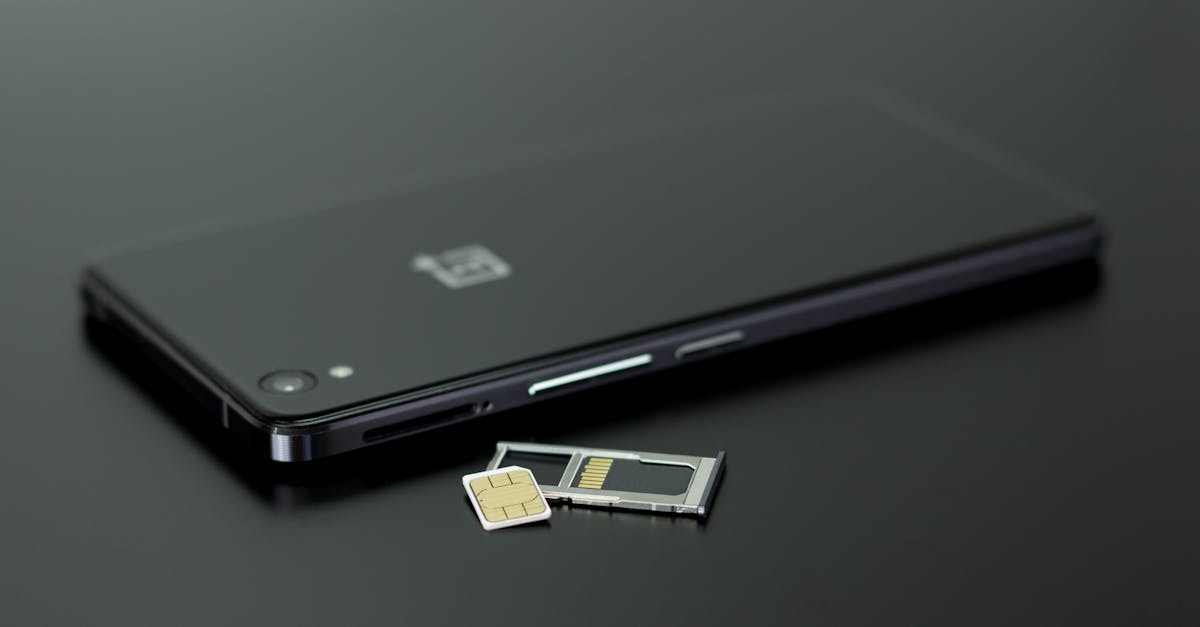
A SIM-swap attack is a type of fraud where an attacker convinces your mobile carrier to transfer your phone number to a SIM card they control. Once they have your number, they can intercept calls, texts, and, crucially, two-factor authentication codes to access your online accounts, including banking, email, and social media.
How do attackers get my personal information for a SIM-swap?
Attackers gather your personal information through various means, including phishing scams, data breaches (where your data might have been exposed from other services), social media profiles, and public records. They combine these details to build a convincing profile that allows them to impersonate you to your mobile carrier.
Can my carrier prevent a SIM-swap attack?
While carriers have some security protocols, they are not foolproof. Many standard procedures can be circumvented by skilled social engineers. However, most carriers offer additional security measures, such as port-out PINs or dedicated verbal passcodes, that users can enable to significantly strengthen their account protection. It’s crucial to actively set these up.
What are the immediate signs of a SIM-swap attack?
The most common and immediate sign is a sudden and unexplained loss of cell phone service (your phone shows ‘No Service’ or ‘SOS Only’) in an area where you typically have good reception. Other signs include unexpected notifications about account changes or logins, or being locked out of your online accounts.
What should I do if I suspect a SIM-swap attack?
If you suspect a SIM-swap, immediately contact your mobile carrier’s fraud department from a landline or another trusted phone. Do not wait. Explain the situation and ask them to lock your account and verify the status of your phone number. Then, begin changing passwords on critical accounts (email, banking, crypto) using a secure device, and enable app-based 2FA where possible.